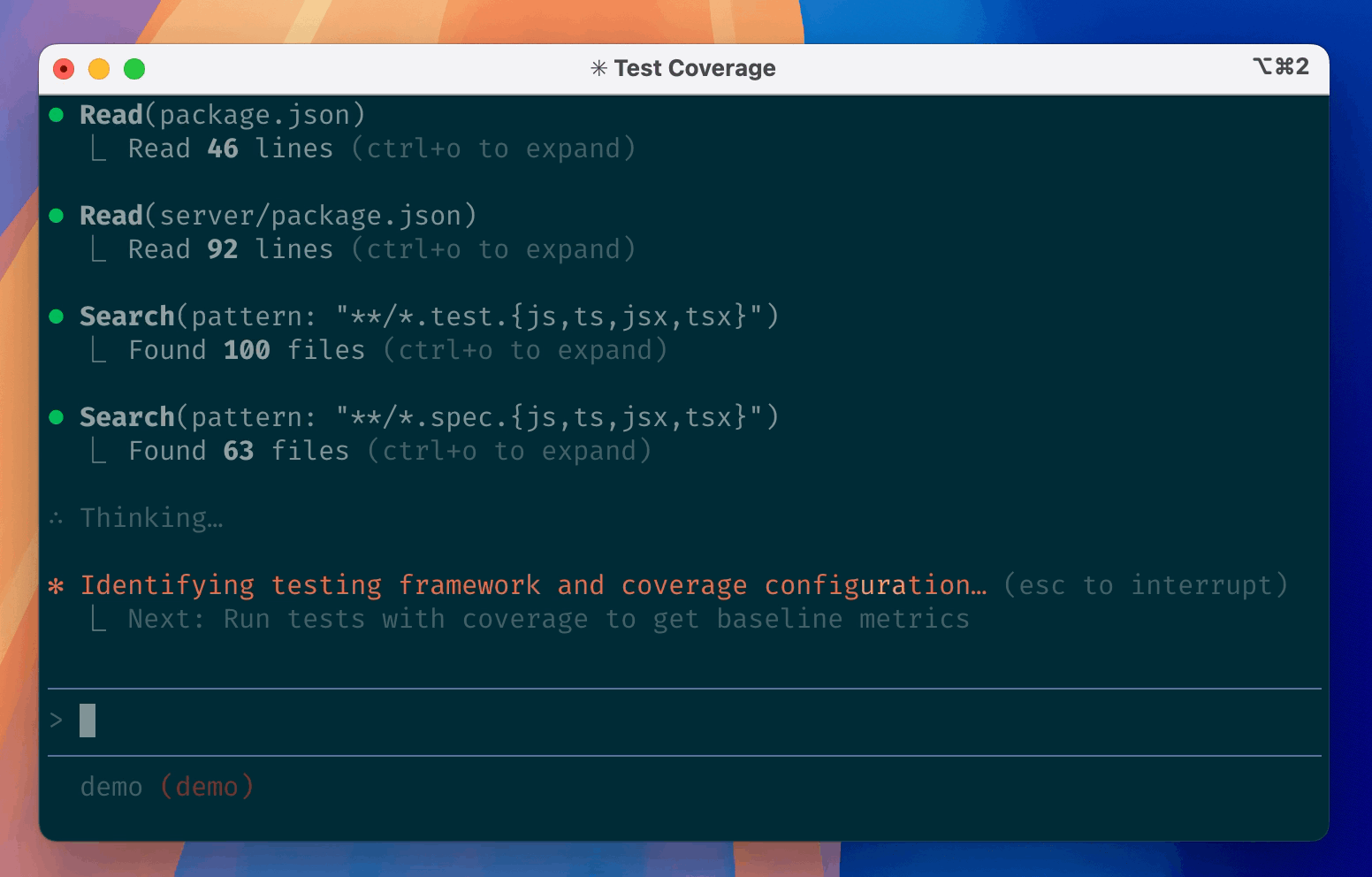
Constrained peek so you can sanity-check the source material without leaving the site.
<div align="center">
<a href="https://pydantic.dev/docs/ai/">
<picture>
<source media="(prefers-color-scheme: dark)" srcset="https://pydantic.dev/docs/ai/img/pydantic-ai-dark.svg">
<img src="https://pydantic.dev/docs/ai/img/pydantic-ai-light.svg" alt="Pydantic AI">
</picture>
</a>
</div>
<div align="center">
<h3>How Python does AI</h3>
</div>
<div align="center">
<a href="https://github.com/pydantic/pydantic-ai/actions/workflows/ci.yml?query=branch%3Amain"><img src="https://github.com/pydantic/pydantic-ai/actions/workflows/ci.yml/badge.svg?event=push" alt="CI"></a>
</div>
<p align="center">
Agents, realtime voice, image generation, embeddings. Every model, every interface, typed end to end.
</p>
Pydantic AI is the Python AI SDK: a typed, extensible agent loop with every model a string swap away. The same agent runs everywhere you need it: behind a web frontend, in the terminal, on a voice call, on a durable background queue, in GitHub Actions, or as a plain object you call run() on. Image generation and embeddings come in the same box; Pydantic Graph and Pydantic Evals are separate packages, for typed control flow and for testing agent behavior the way pytest tests code.
Pydantic AI Harness has everything an agent needs for complex, long-running work, snapped on as capabilities, from memory, guardrails, and sub-agents to planning, context management, and persistence, up to a complete coding agent.
Pydantic Logfire is the AI observability platform that sees your whole app, not just the LLM calls, and the Pydantic AI Gateway is one key for every model with real-time cost monitoring and budget control; the Gateway self-hosts if you would rather, and our instrumentation is plain OpenTelemetry, so any backend you already run works. Underneath both, genai-prices keeps model pricing current, and Monty is the sandboxed Python interpreter that runs model-written code.
View the complete documentation at pydantic.dev/docs/ai.
What are you building?
From simple typed data extraction to complex, long-running multi-agent collaboration, Pydantic AI and Pydantic AI Harness have got you covered.
Coding agent
A complete coding agent in your terminal: workspace-rooted file access, allowlisted shell, repo orientation, planning, and context management that survives long sessions. Here with web search and a second-opinion advisor snapped on alongside:
uv add pydantic-ai pydantic-ai-harness
from pydantic_ai import Agent
from pydantic_ai.capabilities import WebSearch
from pydantic_ai_harness import Advisor, Coder

agent = Agent(
    'anthropic:claude-fable-5-1',
    capabilities=[
        Coder(),  # files, shell, repo context, sub-agents, context management
        WebSearch(),  # look up docs and error messages on the web
        Advisor('openai:gpt-6.1-sol'),  # a second opinion from another model when stuck
    ],
)
agent.to_cli_sync()
Coder is a regular combined capability, not a black box: use it whole, or use the blocks it bundles directly; the two are equivalent:
capabilities = [
    FileSystem('.'), Shell(cwd='.'), RepoContext(), SubAgents(...),
    ClearToolResults(), ToolOutputLimits(), RepairToolArguments(),
]
Run the file and you're chatting with the agent in your terminal. To try it before writing any code, run the exported coder_agent with clai (the Pydantic AI CLI), via uvx:
uvx --with pydantic-ai-harness clai -a pydantic_ai_harness.coder:coder_agent -m anthropic:claude-fable-5-1
Build this → Coder, from the Harness
Run it on GitHub → GitHub Agentic Workflows, on issues, pull requests or a schedule
Data extraction
Give the agent an output type and tools, and every run comes back validated and typed:
uv add pydantic-ai
from typing import Literal

from pydantic import BaseModel, Field

from pydantic_ai import Agent, RunContext


class Sentiment(BaseModel):
    label: Literal['positive', 'negative', 'neutral']
    score: float = Field(ge=-1, le=1)


agent = Agent('openai:gpt-6.1-sol', output_type=Sentiment)


@agent.tool
def recent_reviews(ctx: RunContext, product: str) -> list[str]:
    """Fetch recent review snippets for a product."""
    return ['The new release fixed everything I complained about!']


result = agent.run_sync('How are people feeling about the Extract app?')
print(result.output)
#> label='positive' score=0.9
The @agent.tool function receives a RunContext that carries your dependencies in; the rest of its signature and its docstring become the tool schema, arguments are validated before your code runs, and the run is guaranteed to return a Sentiment, so your IDE, type checker, and the LLM all agree on the returned type.
Build this → Agents, Function Tools, and Structured Output
Durable workflow
Attach TemporalDurability and the same agent runs inside a Temporal workflow under durable execution: every model and tool call becomes a durable activity, so a run working through a background queue survives restarts, failures, and long waits:
uv add "pydantic-ai[temporal]"
from temporalio import workflow

from pydantic_ai import Agent
from pydantic_ai.capabilities import WebFetch, WebSearch
from pydantic_ai.durable_exec.temporal import PydanticAIWorkflow, TemporalDurability

agent = Agent(
    'openai:gpt-6.1-sol',
    instructions='Research the topic and write a structured brief.',
    name='researcher',
    capabilities=[WebSearch(), WebFetch(), TemporalDurability()],
)


@workflow.defn
class ResearchWorkflow(PydanticAIWorkflow):
    __pydantic_ai_agents__ = [agent]